
Uniview NVR
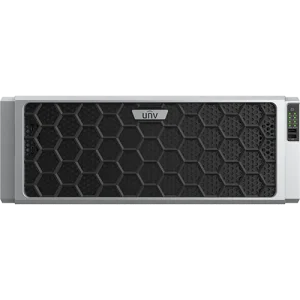
NVR824-256R
Login for Pricing256 CH | No PoE | 24xSATA w/RAID Support | H.265/H.264 | P2P | 2xHDMI/VGA w/Independent Layouts | 24/8 Alarm In/Out | Quad NIC | Up to 12MP
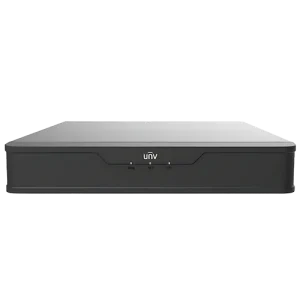
NVR501-08B-P8
Login for Pricing8 CH | 8 PoE | 1xSATA | H.265/H.264 | P2P | HDMI/VGA Output | Up to 8MP
NVR501-04B-P4
Login for Pricing4 CH | 4 PoE | 1xSATA | H.265/H.264 | P2P | HDMI/VGA Output | Up to 8MP
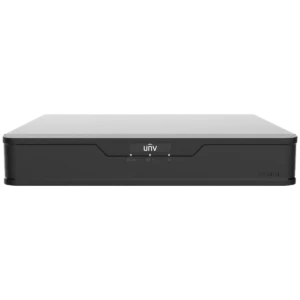
XVR301-08Q4
Login for PricingThis is an 8ch hybrid video recorder. It supports up to 8 analog cameras and 4 IP cameras. This is a cost-effective option for updating an older analog system with a new platform. It supports…
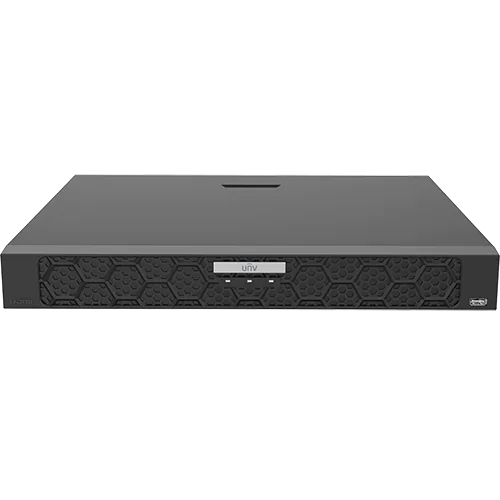
NVR502-08B-P8
Login for PricingThis NVR is a compact and powerful 8ch video recorder. It supports up to two hard drives and has 8 PoE ports built-in. This NVR supports LPR cameras, POS integration, and fisheye dewarping.
NVR502-16B-P16
Login for PricingThis NVR is a compact and powerful 16ch video recorder. It supports up to two hard drives and has 16 PoE ports built-in. This NVR supports LPR cameras, POS integration, and fisheye dewarping.
NVR502-16B
Login for PricingThis NVR is a compact and powerful 16ch video recorder. It supports up to two hard drives and has two LAN ports on the back. This unit does NOT have built-in PoE ports, you must…
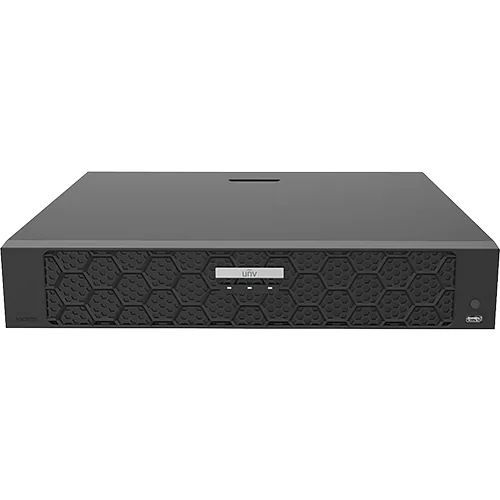
NVR504-16B-P16
Login for PricingThe NVR504 series is a compact and powerful 16ch video recorder. It supports up to four hard drives and has 16 built-in PoE ports. This NVR supports LPR cameras, POS integration, and fisheye dewarping.
NVR504-32B-P16
Login for PricingThe NVR504 series is a compact and powerful 32ch video recorder. It supports up to four hard drives and has 16 built-in PoE ports. To add more than 16 cameras, you must use a PoE…
NVR502-08B-P8-IQ
Login for PricingThe NVR502 series is a compact and powerful 8ch video recorder. It supports up to two hard drives and has 8 built-in PoE ports. This NVR also supports LPR cameras, face recognition, AcuSearch, and fisheye…
NVR502-16B-P16-IQ
Login for PricingThe NVR502 series is a compact and powerful 16ch video recorder. It supports up to two hard drives and has 16 built-in PoE ports. This NVR also supports LPR cameras, face recognition, AcuSearch, and fisheye…
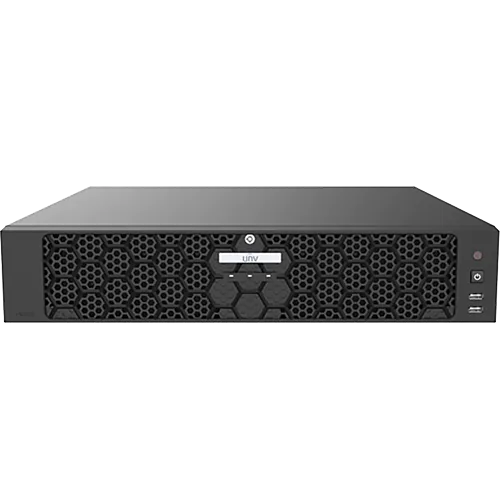
NVR508-64E-R-IQ
Login for PricingThe NVR508 series is a powerful video recorder that supports up to 64 IP cameras. It also supports hot-swapping hard drives, RAID for video redundancy, and up to 32MP resolution recording.
All about Uniview NVRs
Uniview has a variety of NVRs available, which range from the basic 4-ch NVR501-04B-P4 to the massive 256-ch NVR824-256R (which is more like a full server than a typical NVR).
When shopping for an NVR, the most important feature is how many channels it supports. For example, a four channel NVR can only support up to four cameras – no matter if they are connected via the built-in PoE ports or a separate PoE switch. If you try to add a fifth camera, you’ll be out of luck – which means you need to consider future expansion needs when buying an NVR.
Our recommendations for choosing an NVR
Generally, we recommend buying at least an 8-channel NVR for your home or office. There’s only around a 15% price difference between the 4-ch and 8-ch NVR – while giving you literally twice the camera capacity. Even if you only install two or three cameras to start with, you might find yourself wanting more cameras down the road – in which case the 4-ch NVR will feel quite restrictive.
Another consideration is how many HDD slots your NVR has. You can tell how many slots your NVR has based on the first number. For example NVR501 has one HDD slot, while NVR 502 has two slots, and NVR504 has four slots. With extra slots, you can expand your hard drive capacity down the road – and the higher NVR models allow you to put drives into RAID mode for storage redundancy.
Depending on which RAID mode you choose, you can have one or two hard drives fail without losing any footage. However, since hard drives are quite expensive (especially in August 2026) we don’t recommend using RAID mode on the NVR unless the footage is important for compliance reasons.
For most projects, a 32-ch NVR is more than enough to accommodate existing and future camera needs. We suggest the NVR504-32B-P16 – which has four HDD slots and has 16 built-in PoE ports. It also supports advanced features such as RAID 1 & 5, fisheye de-warping, and support for LPR cameras.
Two NVRs in a single location? Why?
If something happens to your NVR – for example, if it gets stolen or damaged during a break-in – then all your footage of the event will be gone. There are two solutions to this:
- You can subscribe to a cloud-backup service and keep a short window of footage in the cloud. However, these services typically charge at least $20 a month per camera for a single week of backup. And they always compress the footage to a lower quality in order to reduce costs from their end.
- You can purchase a second NVR and connect it to your network, then hide it in a different room or above the ceiling tiles in an office. You can configure the cameras to record to both NVRs at the same time so that if one gets stolen, you still have full coverage of the event.
Of course, you have to buy the hardware for the second NVR, as well as hard drives for storage (you can opt for half the storage of the primary NVR) – but you don’t have to pay any subscription feels. And, the footage records in full resolution to both NVRs at the same time.
So, before you you subscribe to a costly cloud-backup service, you may want to consider buying a second NVR instead. If you’re curious to learn more, you can read this article for full step-by-step instructions:
Other features on NVRs to consider
Aside from channel number and hard drives slots, you may want to consider the following features on an NVR:
- Alarm in/outputs –> This is useful when you want to integrate the NVR with an alarm or access control system.
- Multiple HDMI outputs with independent layouts –> If you’re connecting the NVR to multiple monitors, you may need to display four cameras on one screen, and sixteen on another.Not all models support this function, so make sure you see independent layout in the datasheet before you commit to a purchase.
- Advanced AI features –> As of August 2026, Uniview’s -IQ series NVRs support advanced AI features, such as AcuSearch and support for AI detection on third-party cameras.
- Multiple WAN ports –> You can use an NVR with multiple WAN ports to keep the cameras isolated from the rest of the network. The NVR508 and 516 series have two WAN ports, while NVR824 has four WAN ports.
Be sure to go through the datasheet for each NVR if you’re making a large purchasing decision – don’t assume any specific feature will be supported without confirming it first.
Where to buy a Uniview NVR?
You’re in the right place! If you’re looking to purchase a Uniview NVR, please send us an email or give us a phone call. Visit the Contact Us page and send us a message with your requirements. We ship across Canada and the United States – we’re happy to help with any project you need.